
Overview
A 503 Service Unavailable on a website hosted in Plesk for Windows almost always means the site’s IIS application pool has stopped. Restart it in Plesk under Websites & Domains > your domain > Dedicated IIS Application Pool for Website (Switch Off, then Switch On), or run plesk repair web example.com -y from an elevated prompt on the server. If it stops again, one of two things is behind it: the app keeps crashing, or the pool’s Windows user has a bad password.
This guide is for admins of Plesk Obsidian on Windows Server (a VPS, dedicated server or your own machine) who see a bare “Service Unavailable” page or HTTP Error 503. The service is unavailable. You’ll restart the pool, read the Event Viewer entry that names the real cause, and apply the matching fix. Allow about 15 minutes.
What causes the 503 in Plesk for Windows
Plesk gives each website its own IIS application pool, named after the domain. When a pool isn’t running, IIS answers every request with 503 and nothing appears in the domain’s error log, which is why people chase the wrong thing. The pool state and the Windows System log hold the answer. The three usual causes:
- The pool stopped unexpectedly and nobody restarted it (a recycle failure, a reboot race, a manual stop in IIS Manager).
- Rapid-Fail Protection tripped. IIS disables a pool after repeated crashes; the default is 5 failures within 5 minutes.
- The pool identity is broken. The Windows user Plesk created for the site has a password the pool no longer knows.
How to fix it
Fix 1: Restart the application pool
- Log in to Plesk and open Websites & Domains (called Domains in older versions).
- Under the affected domain, click Dedicated IIS Application Pool for Website.
- Click Switch Off, wait a few seconds, then Switch On.
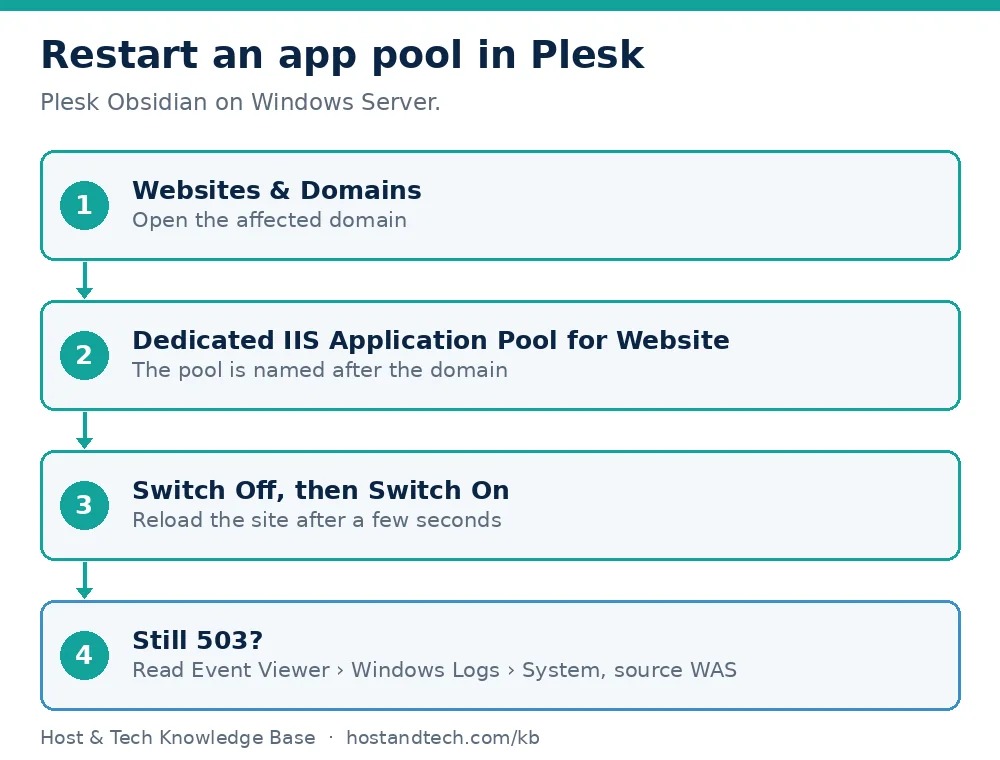
Reload the site. If it comes back, wait ten minutes and reload again to be sure the pool stays up. If Plesk’s panel isn’t reachable, connect by Remote Desktop, open an elevated command prompt or PowerShell, and rebuild the site’s web configuration:
plesk repair web example.com -yTo check or start the pool without opening IIS Manager, this works in an elevated PowerShell window (the pool name is the domain name):
Import-Module WebAdministration; Get-WebAppPoolState -Name example.com; Start-WebAppPool -Name example.comFix 2: Read the Event Viewer entry that says why it stopped
A restart hides the cause, so look before you forget. Open Event Viewer > Windows Logs > System and find entries from the source WAS around the time of the outage. Or list them in one line:
Get-WinEvent -FilterHashtable @{LogName='System'; ProviderName='Microsoft-Windows-WAS'} -MaxEvents 20 | Format-List TimeCreated, Id, MessageThe message tells you which fix applies. “Application pool ‘example.com’ is being automatically disabled due to a series of failures” points to Fix 3. A message about the identity, user name or password, or “batch logon rights”, points to Fix 4.
Fix 3: Rapid-Fail Protection keeps disabling the pool
This means the site’s worker process crashes over and over. The pool stopping is a symptom. Open Event Viewer > Windows Logs > Application and look for Event ID 1026 (.NET runtime) or 1000 (application error) at the same times. Those entries hold the exception and the faulting module, usually a bad deployment, a missing runtime or a plugin that throws on startup. For ASP.NET Core sites, compare the hosting bundle and runtime with the ASP.NET Core deployment guide, and check the web.config against web.config rules for Plesk.
To keep the site up while you fix the code, you can switch protection off for that pool only: in IIS Manager > Application Pools > example.com > Advanced Settings, under Rapid-Fail Protection, set Enabled to False.
Warning: with protection off, a crashing app restarts endlessly and can use a lot of CPU. Treat it as a short-term measure and turn it back on once the crash is fixed.
Fix 4: The application pool identity is invalid
The Event Viewer entry mentions the identity, an incorrect user name or password, or batch logon rights, and the Security log may show an audit failure for a user such as IWPD_1 with “Unknown user name or bad password”. Run plesk repair web example.com -y first. If the message returns:
- Open Computer Management > Local Users and Groups > Users, right-click the site’s user and choose Set Password.
- In IIS Manager > Application Pools, select the site’s pool and click Advanced Settings.
- Next to Identity, click the … button, choose Custom account, click Set, and enter that user name and the new password.
- Start the pool.
If the error returns after a few days, check whether a password policy or scheduled job on the server is changing local user passwords.
Common Issues & Troubleshooting
Only the Plesk panel shows 503, not the websites
Cause: Plesk’s own service (port 8443) has failed, which is a different problem from a website pool.
Fix: restart the Plesk services from the Services console and read the Plesk log. Our Plesk on Windows access guide lists the ports and first checks.
The pool is Started but visitors still get 503 under load
Cause: the pool’s request queue is full. IIS answers 503 when the queue length (1000 by default) is exceeded.
Fix: find why requests are slow, since a bigger queue only hides that. Check CPU and memory, then the database. If the server is out of headroom, see VPS plans for a larger Windows VPS or ask our team to look at the server.
It began right after Windows or Plesk updates
Cause: a failed update can leave IIS modules or the .NET runtime in a half-installed state.
Fix: see Plesk Windows update failed, then repeat Fix 1.
Frequently Asked Questions
Why does my Plesk website show 503 Service Unavailable?
The website’s IIS application pool has stopped, usually after repeated crashes or because the pool’s Windows user has an invalid password. IIS then answers every request with 503, and the domain’s error log stays empty.
How do I restart an application pool in Plesk?
Go to Websites & Domains, open the domain, click Dedicated IIS Application Pool for Website, then choose Switch Off followed by Switch On. Over Remote Desktop you can run plesk repair web with the domain name and the -y option instead.
What is Rapid-Fail Protection in IIS?
It is an IIS safeguard that disables an application pool after repeated worker process crashes, by default 5 failures within 5 minutes. Turning it off keeps the site trying to restart, but it hides a real crash that still needs fixing.
Why does the 503 come back after I restart the pool?
Restarting only treats the symptom. Check the System log for WAS events and the Application log for Event IDs 1026 or 1000 to see whether the app is crashing or the identity is invalid, then apply the matching fix.
Is this the same as a 500 error?
No. A 500 means the site’s code or configuration failed while the pool was running. A 503 means IIS had no running pool to hand the request to, so you diagnose the pool rather than the page.